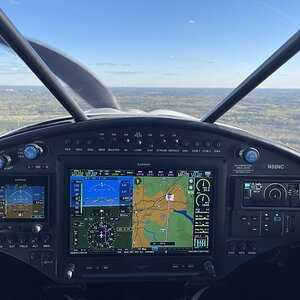
I did my update yesterday. We a little surprised to see there are two updates listed, I think one is for the boot loader or something and then the other is this fix. I just tapped select all and let it update. It took a while, about 5 minutes, but all seems good.
Usually when I make a software update I leave the SD card inserted and the software update is ignored next time the unit is powered up.
The next flight after my GPS 175 update the unit powered up in loader mode showing the loaded software was the same as on the SD card. I had to remove the SD card and power cycle to get into flight mode.
After updating I power down the unit, swap cards back to my flight card and fly on. I don't leave the updater card in personally. With the G3X I think it transfers the updater to the device as I've seen a power on later continue an update which I think was the time before we got the new UI that showed us update status but it caught my attention at that time that the update was not complete.
I use separate database updates (3 cards: G3X Touch Canada, G3X Touch USA, GNC 355), firmware updates (2 cards: G3X Touch and GNC 355 as G5 is updated via G3X Touch), and live data cards (all 3). SD cards are relatively cheap these days and the Garmin Documentation suggests separate cards for each purpose.
I copy the live data from the G3X Touch for archiving after each flight.
This site uses cookies to help personalise content, tailor your experience and to keep you logged in if you register.
By continuing to use this site, you are consenting to our use of cookies.